


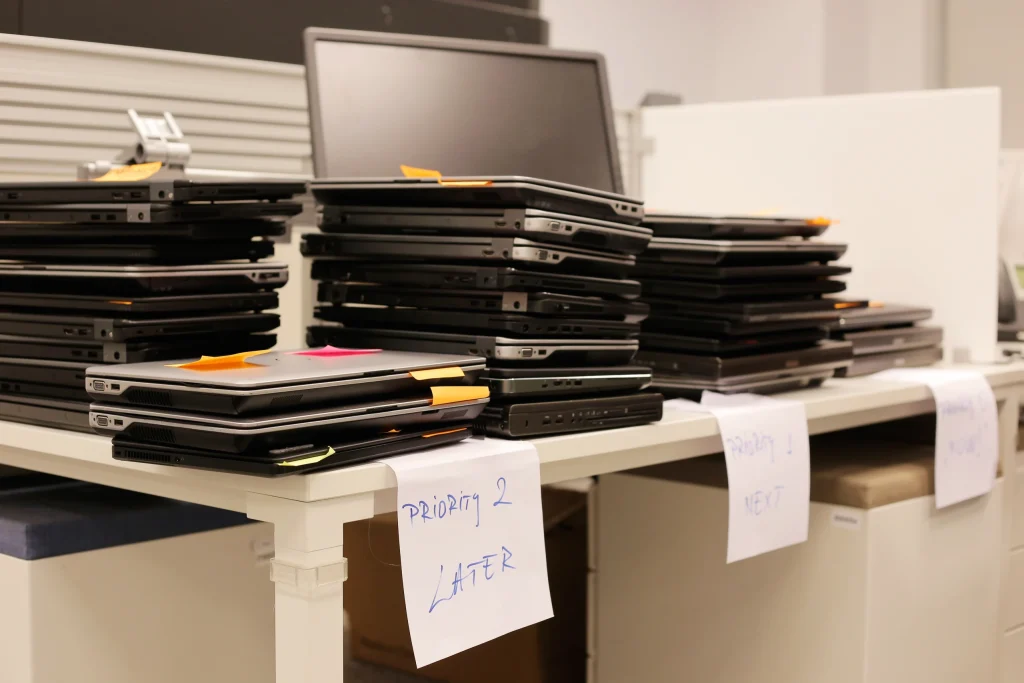
Ever open a drawer at work and find a little tech museum? A couple of old tablets, a printer cable that definitely does not match anything you still own, maybe a monitor you swear you were going to “deal with later.” It’s not trash, but it’s not useful anymore either, so it just lives there.
That’s the reality for a lot of restaurants and small businesses, and it’s exactly how you end up Googling “electronic recycling” on a random Tuesday. Checkout gear and back office electronics get swapped out in small waves, and the leftovers stack up quietly in the background. Eventually you’re looking at a pile that still has value, still has components that should not go in the trash, and in some cases still has sensitive business info tied to it.
Who This Applies To
This fits almost any business that runs a counter, a front desk, a service schedule, or a membership system, including:
-
Restaurants, cafes, bars, breweries, and catering companies
-
Food trucks, pop-ups, and seasonal vendors
-
Retail shops, boutiques, and convenience stores
-
Salons, spas, tattoo shops, and barber shops
-
Gyms, studios, and membership-based businesses
-
Medical offices, dental practices, and small clinics
-
Auto shops and service counters
-
Nonprofits, churches, and organizations that take donations or sell tickets
If your day-to-day runs on tablets, a back office computer, a phone system, and printers, you’ve got electronics cycling in and out whether you notice it or not. When that gear gets replaced, it should be handled through proper electronic disposal instead of sitting in a closet or ending up in the trash.
The “Not a Big Deal” Gear That Adds Up Fast
Small businesses upgrade in small bursts, not giant enterprise projects, which is why the pile grows quietly. One new iPad here, a printer replacement there, a router swap after the internet guy stops by, and suddenly you have a corner full of equipment you meant to deal with “soon.”
A refresh often includes:
-
iPads and tablets used for checkout or ordering
-
A back office computer (desktop or laptop) or even a small server
-
A flat screen monitor upgrade
-
Printers or copiers that finally quit
-
Modems, routers, or network switches
-
UPS battery backups and loose batteries
-
USB cords, insulated cable, and circuit boards
Electronic recycling is just the right way to finish that story. Instead of letting retired gear sit in storage or end up in the trash, you collect it, keep it contained, and hand it off through a responsible process so materials are recovered and anything sensitive is handled securely.
Omega ECycles can help make that last step simple and repeatable. These are everyday business categories Omega lists as accepted items, including computers, servers, hard drives, circuit boards, UPS battery backups, flat screen monitors, printers, copiers, modems, routers, USB cords, phones, insulated cable and wire, iPads and tablets, batteries, and network switches.
The Subtle Security Reality Behind Everyday Devices
Most small businesses don’t think of retired devices as a security issue because the unit is “off” or “not connected anymore.” But everyday business tech can still hold sensitive information or access details long after it stops being used, especially if it was part of operations.
The payment industry is clear that businesses should minimize what they store and retain. The PCI Security Standards Council’s guidance on data storage highlights that requirements around protecting cardholder data apply if it is stored, and that not storing unnecessary data reduces exposure.
The practical takeaway is simple: treat anything that may have stored information, logged activity, or access to business accounts as data-bearing until proven otherwise. That is why secure handling and data destruction services matter, even for businesses that do not think of themselves as “high risk.”
What to Do With Your Pile
If you want a clean, low-stress process that works for restaurants and small businesses, use this flow. It’s designed around the items Omega accepts and the way businesses actually operate.
1) Sort by category
Make quick piles that match real-world handling:
-
iPads and tablets
-
computers (desktop and laptop) and servers
-
monitors (flat screen only)
-
printers and copiers
-
modems, routers, and network switches
-
phones, telephone systems, and phone hardware
-
UPS battery backups and loose batteries
-
USB cords, insulated cable and wire, and circuit boards
This takes a few minutes and prevents the “everything in one bin” problem.
2) Pull anything you still need
If there’s any chance you need old files, reports, menus, photos, or records, retrieve them before the equipment leaves the building.
3) Set aside data-bearing items
If you have loose hard drives, old computers, or servers, keep them together in a controlled spot. The goal is simple: avoid loose devices floating around the building once you’ve decided they are ready to retire.
4) Separate batteries and plan for them
Batteries should not be an afterthought. The EPA’s guidance on electronics donation and recycling includes steps like removing batteries for proper handling.
5) Stage everything securely
Pick one staging area, keep it tidy, and limit access. This reduces mix-ups and prevents accidental disposal.
6) Make it recurring
Quarterly, semi-annual, or annual works for most small businesses. A regular cadence keeps the closet from rebuilding and makes electronic disposal predictable.
Why Using an Electronics Recycling Facility Matters
An electronics recycling facility is not just a place where items disappear. It is a controlled process that sorts equipment by type, separates data-bearing components early, and handles materials responsibly.
Omega’s walk-through of what happens inside an electronics recycling facility explains that devices are treated as assets requiring careful handling, and that equipment with memory or storage is separated quickly for secure processing.
For restaurants and small businesses, this matters because you should not have to reinvent the wheel every time you retire a few devices. You want one process that works whether you are clearing a single location or multiple sites.
Where Free Electronics Recycling Fits
Many small businesses delay recycling because they assume it will be expensive or complicated. Free electronics recycling helps remove that friction, especially when pickup and processing are built for business workflows.
Omega offers free electronics recycling in its service area and positions it as a practical way for businesses to recycle end-of-life devices responsibly without adding cost barriers.
When the process is easy to repeat, it is more likely to actually happen on schedule.
How Omega ECycles Helps Small Businesses Keep It Simple
If you want a straightforward way to handle retired business electronics, Omega ECycles can help you build a repeatable process around what you already have: computers, tablets, networking gear, printers, phones, batteries, cables, and the everyday equipment that piles up behind the scenes. We also help businesses handle devices that may store sensitive information with a security-first mindset, so recycling does not become a loose end. And when you are ready, Omega makes the logistics easy through clear guidance on accepted items and free electronics recycling options for businesses in the service area.
Call and schedule your pickup today!
🔗 Sources
- PCI Security Standards Council, PCI Data Storage Do’s and Don’ts (PDF)
- U.S. EPA, Electronics Donation and Recycling
